# Amenity Settings

Amenity settings control how the resource behaves in the reservation system. These settings may vary depending on your implementation, but commonly include the following.

##### **1. Amenity Title**

The amenity name

##### **2. Calendar Color (Hex) + Text Color**

The background color and text color displayed in the calendar view.

<span style="background-color: rgb(224, 62, 45);">![image.png](https://support.ceonesource.com/uploads/images/gallery/2026-04/scaled-1680-/U4c4TrTrixyt95oy-image.png)</span>

<span style="background-color: rgb(224, 62, 45);">![image.png](https://support.ceonesource.com/uploads/images/gallery/2026-04/scaled-1680-/jMLdmTJnS1RhXoLY-image.png)</span>

##### **3. Start and End Time**

These define when the amenity is available to reserve.

<span style="background-color: rgb(224, 62, 45);">![image.png](https://support.ceonesource.com/uploads/images/gallery/2026-04/scaled-1680-/wfcqUlD3CaRtNBIH-image.png)</span>

##### **4. Cleaning Buffer (Minutes)**  


Use for amenities that require buffers for cleaning.

<span style="background-color: rgb(224, 62, 45);">![image.png](https://support.ceonesource.com/uploads/images/gallery/2026-04/scaled-1680-/4Y7O42gFiPxzlbMw-image.png)</span>

##### **5. Contact Booking Limit and Limit Period**  


Limits how many times a user can book within a set period. The settings below means that contacts can only book this amenity 3 times a week.

<span style="background-color: rgb(224, 62, 45);">![image.png](https://support.ceonesource.com/uploads/images/gallery/2026-04/scaled-1680-/JWgbdO4KjIN4P3U0-image.png)</span>

##### **6. Maximum Expected People**  


Number of people the amenity can accommodate.

<span style="background-color: rgb(224, 62, 45);">![image.png](https://support.ceonesource.com/uploads/images/gallery/2026-04/scaled-1680-/dpsQRJjefm3J99Tj-image.png)</span>

##### **7. Allow Multiple Bookings At The Same Time**

If an amenity allows multiple users to book together.

<span style="background-color: rgb(224, 62, 45);">![image.png](https://support.ceonesource.com/uploads/images/gallery/2026-04/scaled-1680-/OTuxZklnqP6WLluj-image.png)</span>

##### **8. <span style="color: rgb(0, 0, 0);">WaitList</span>**

<span style="color: rgb(0, 0, 0);">Enable this to allow overlapping requests to be saved as a waitlist instead of being blocked.</span>

<span style="background-color: rgb(224, 62, 45);">![image.png](https://support.ceonesource.com/uploads/images/gallery/2026-04/scaled-1680-/5SeSY7f5Mk6kwFH9-image.png)</span>

#####   
**9. <span style="color: rgb(0, 0, 0); font-family: -apple-system, BlinkMacSystemFont, 'Segoe UI', Oxygen, Ubuntu, Roboto, Cantarell, 'Fira Sans', 'Droid Sans', 'Helvetica Neue', sans-serif; font-size: 0.94em;">Max Hours Per Booking  
</span>**

<span style="color: rgb(0, 0, 0); font-family: -apple-system, BlinkMacSystemFont, 'Segoe UI', Oxygen, Ubuntu, Roboto, Cantarell, 'Fira Sans', 'Droid Sans', 'Helvetica Neue', sans-serif; font-size: 0.94em;">Set to 0 for no limit. Example: 4 means a booking can be at most 4 hours long.</span>

<span style="background-color: rgb(224, 62, 45);">![image.png](https://support.ceonesource.com/uploads/images/gallery/2026-04/scaled-1680-/EMh9PArTNiet4LZ3-image.png)</span>

##### <span style="color: rgb(0, 0, 0);">**<span style="font-family: -apple-system, BlinkMacSystemFont, 'Segoe UI', Oxygen, Ubuntu, Roboto, Cantarell, 'Fira Sans', 'Droid Sans', 'Helvetica Neue', sans-serif; font-size: 0.94em;">10. Use Change Over Days</span>**</span>

<span style="color: rgb(102, 102, 102); font-family: -apple-system, BlinkMacSystemFont, 'Segoe UI', Oxygen, Ubuntu, Roboto, Cantarell, 'Fira Sans', 'Droid Sans', 'Helvetica Neue', sans-serif; font-size: 0.94em; font-weight: 400;">Enable overnight booking behavior. Requires check-in and check-out times.</span>

<span style="background-color: rgb(224, 62, 45);">![image.png](https://support.ceonesource.com/uploads/images/gallery/2026-04/scaled-1680-/jPtZqtEShMH4CMzL-image.png)</span>

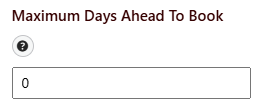
##### <span style="color: rgb(0, 0, 0);">**<span style="font-family: -apple-system, BlinkMacSystemFont, 'Segoe UI', Oxygen, Ubuntu, Roboto, Cantarell, 'Fira Sans', 'Droid Sans', 'Helvetica Neue', sans-serif; font-size: 0.94em;">11. Maximum Days Ahead To Book</span>**</span>

<span style="color: rgb(102, 102, 102); font-family: -apple-system, BlinkMacSystemFont, 'Segoe UI', Oxygen, Ubuntu, Roboto, Cantarell, 'Fira Sans', 'Droid Sans', 'Helvetica Neue', sans-serif; font-size: 0.94em; font-weight: 400;">For standard bookings, 0 means same-day only. For change over day bookings, 0 means next-day checkout only.   
Example: if the start date is 04/05/2026 and the **Maximum Days Ahead to Book** is 7, then the max allowed end date is 04/12/2026.</span>

<span style="background-color: rgb(224, 62, 45);">![image.png](https://support.ceonesource.com/uploads/images/gallery/2026-04/scaled-1680-/9Hv38BCT5KmkZPJ9-image.png)</span>

##### <span style="color: rgb(0, 0, 0);">**<span style="font-family: -apple-system, BlinkMacSystemFont, 'Segoe UI', Oxygen, Ubuntu, Roboto, Cantarell, 'Fira Sans', 'Droid Sans', 'Helvetica Neue', sans-serif; font-size: 0.94em;">12. Date Range Display</span>**</span>

<span style="color: rgb(102, 102, 102); font-family: -apple-system, BlinkMacSystemFont, 'Segoe UI', Oxygen, Ubuntu, Roboto, Cantarell, 'Fira Sans', 'Droid Sans', 'Helvetica Neue', sans-serif; font-size: 0.94em; font-weight: 400;">Optional. Limit the booking date picker to the next X days from today. Example: 180 means users can only select dates within the next 180 days.</span>

<span style="background-color: rgb(224, 62, 45);">![image.png](https://support.ceonesource.com/uploads/images/gallery/2026-04/scaled-1680-/3dyL9VzlRsj1t9uj-image.png)</span>

##### <span style="color: rgb(0, 0, 0);">**13. <span style="font-family: -apple-system, BlinkMacSystemFont, 'Segoe UI', Oxygen, Ubuntu, Roboto, Cantarell, 'Fira Sans', 'Droid Sans', 'Helvetica Neue', sans-serif; font-size: 0.94em;">Next Booking Availability ( Amenity Specific )</span>**</span>

<span style="color: rgb(102, 102, 102); font-family: -apple-system, BlinkMacSystemFont, 'Segoe UI', Oxygen, Ubuntu, Roboto, Cantarell, 'Fira Sans', 'Droid Sans', 'Helvetica Neue', sans-serif; font-size: 0.94em; font-weight: 400;">Optional. Add a recovery gap in days after each booking before this amenity can be booked again. Example: 7 means the next booking can only start 7 days after the current booking ends.</span>

<span style="background-color: rgb(224, 62, 45);">![image.png](https://support.ceonesource.com/uploads/images/gallery/2026-04/scaled-1680-/sNYykMbHO2jsc6L1-image.png)</span>

##### <span style="color: rgb(0, 0, 0);">**<span style="font-family: -apple-system, BlinkMacSystemFont, 'Segoe UI', Oxygen, Ubuntu, Roboto, Cantarell, 'Fira Sans', 'Droid Sans', 'Helvetica Neue', sans-serif; font-size: 0.94em;">14. Default Comments</span>**</span>

##### <span style="background-color: rgb(224, 62, 45);">![image.png](https://support.ceonesource.com/uploads/images/gallery/2026-04/scaled-1680-/WeEPfKsioVfExkOy-image.png)  
  
</span>**15. Activity Triggers** 

Create activities and triggers email notifications.

<span style="background-color: rgb(224, 62, 45);">![image.png](https://support.ceonesource.com/uploads/images/gallery/2026-04/scaled-1680-/DjvmLyxQwSZEMSxu-image.png)</span>

##### **16. Admin Notification Email** 

Admin notification emails. Select from email templates.

![image.png](https://support.ceonesource.com/uploads/images/gallery/2026-04/scaled-1680-/kdqiNZRXJJ0yPQZ5-image.png)

##### **17. Additional Fields**

Add custom fields for each amenity. Additional fields are populated on the booking form.

![image.png](https://support.ceonesource.com/uploads/images/gallery/2026-04/scaled-1680-/zw2r9TIOIUuHcMzX-image.png)

<p class="callout info">This little icon is your helper ![image.png](https://support.ceonesource.com/uploads/images/gallery/2026-04/scaled-1680-/0HuGbmBkwjwGRFOM-image.png)</p>