
Prerequisites
Activity Trigger and Activity Types:
Activity triggers automatically create activities based on selected activity types.
In the context of reservations, activity triggers can be used to automatically generate internal follow-up tasks or operational records when a booking event happens. Note also that the activity type has automatic triggers for emails.
Examples:
- Create a confirmation activity when a venue booking is submitted.
How activity triggers work
An activity trigger listens for a defined event or condition, then creates an activity using the configured activity type.
This helps automate internal processes and reduces the need for manual follow-up.
Recommendation
Before creating amenities, confirm that:
- The required activity types already exist
- The correct activity triggers are active
- The trigger logic matches your booking workflow
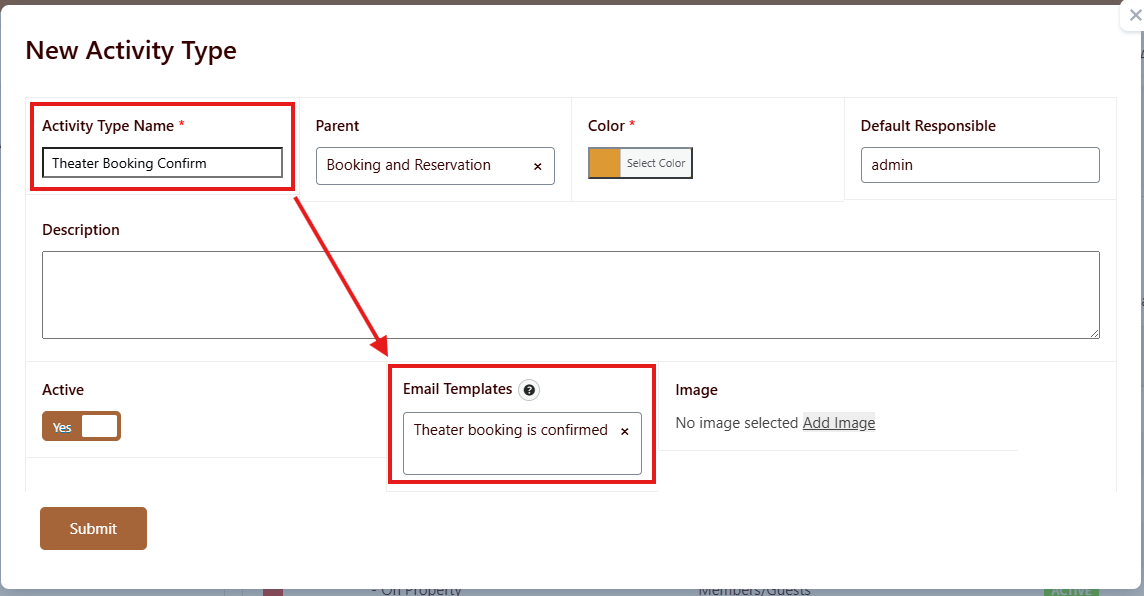
Note: You can create a Parent/Child relationship on the activity type.
Email Templates
Email templates are used to send automated notifications related to reservations.
Typical templates include:
- Visitor confirmation email – sent to the person requesting or creating the booking
- Administrator notification email – sent to admins or assigned staff when a booking is created, updated, approved, or cancelled
Depending on your workflow, you may also want to prepare templates for:
- Booking approval
- Booking rejection
- Booking reminder
- Booking cancellation
- Booking reschedule or update
Why email templates matter
Without the correct email templates, users and administrators may not receive important booking updates. This can lead to missed reservations, approval delays, or confusion about the booking status.
Best practice
Create and test all email templates before enabling the amenity for live use.
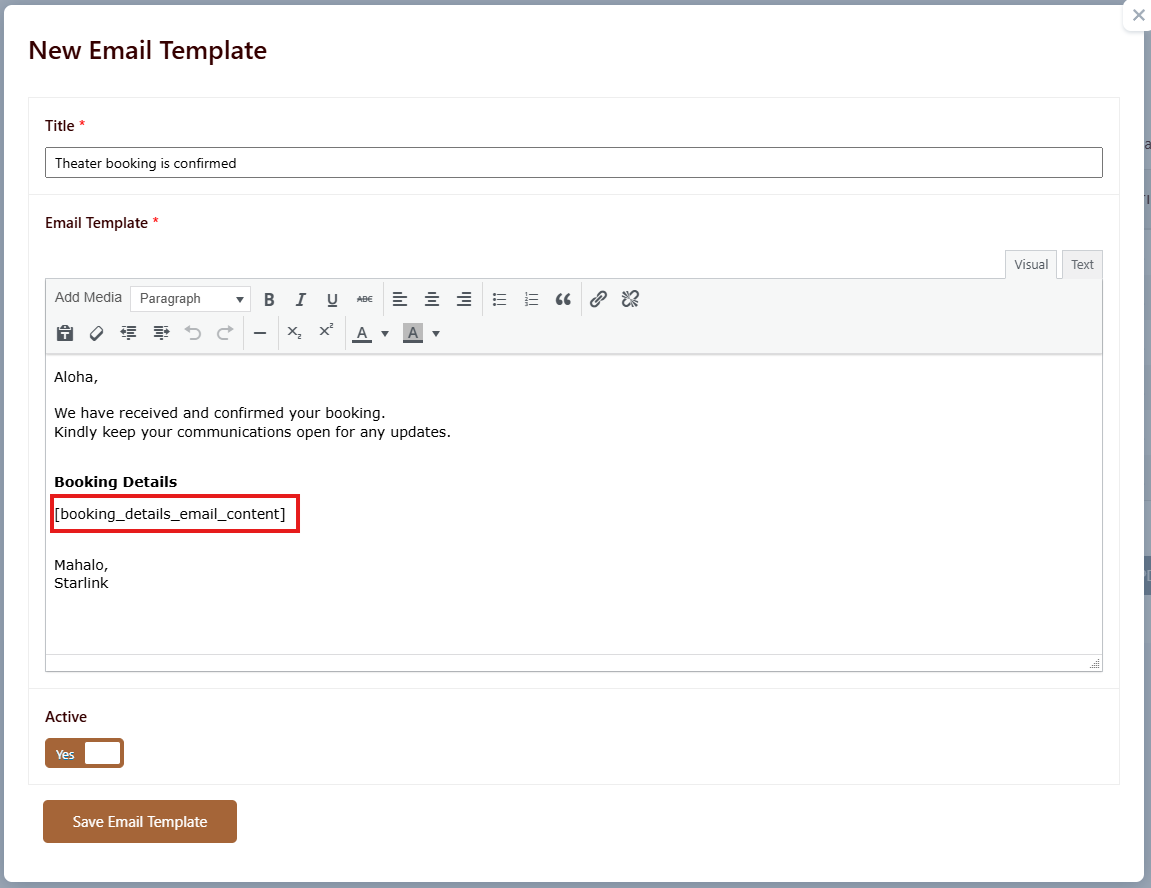
Note: Shortcode [booking_details_email_content] will return the reservation details. For example the name and amenity.